Processing payment...
  • Apps & Software
  • Productivity
AcePDF Converter & Editor: Lifetime License

AcePDF Converter & Editor: Lifetime License

284 Reviews
Deal Price$32.79 CAD
Suggested Price
$136.99 CAD
76% OffExpires Soon!
🔥 10k+ Sold! Selling Fast
Brand Acethinker
DescriptionImportant DetailsReviewsRelated Products

Convert All Types of Documents into a Wide Variety of Formats, Efficiently & Accurately

Description

IMPORTANT

  • This is available to new users ONLY.
  • NEW! All features are now fully supported in both Windows and Mac versions.


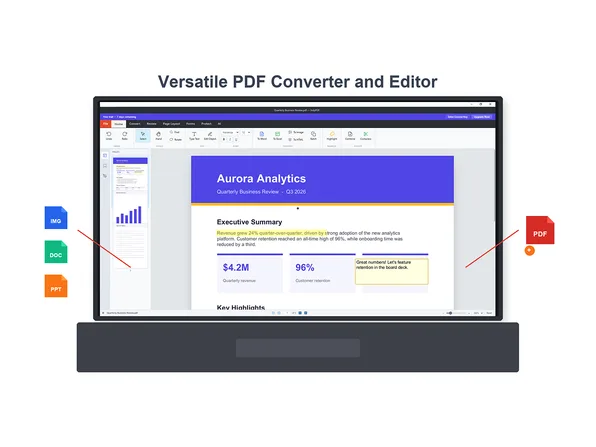
This all-in-one PDF converter and Editor enables you to process PDF and other documents easily. It offers fast and high-quality conversions while preserving original layouts, images, and hyperlinks. You can batch convert PDF files to Word, Excel, and other formats. You can also create PDF by merging MS documents, images and other types of files in just a few clicks. Moreover, you can edit PDF pages effortlessly by merging, splitting, rotating, or deleting pages, and use OCR to extract and edit text from scanned documents. With blazing-fast processing and reliable performance, it’s the perfect tool for seamless PDF conversion, creation, and editing—trusted by individuals and businesses alike.


4.4/5 stars on Trustpilot: ★ ★ ★ ★


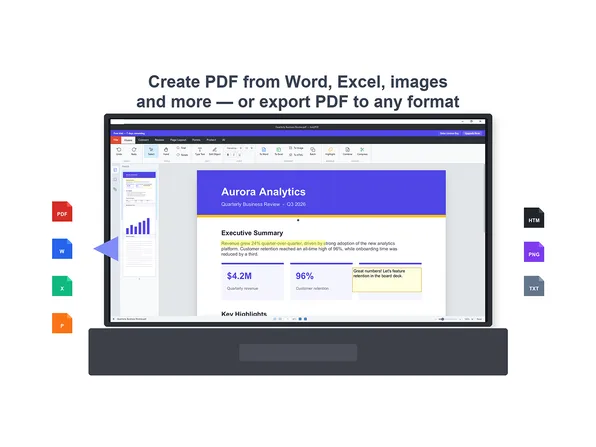
  • Convert from PDF: Change and backup your PDF files to Microsoft Word, Excel, PowerPoint, Text, HTML, PNG, and JPG for convenient editing and viewing.
  • Convert to PDF: It's also an excellent PDF converter to create PDF from Word, Excel, PPT, and images for easier transferring and backup.
  • Convert Scanned PDF: Thanks to the built-in OCR technology, now it’s possible to extract text from image-based PDF documents with the original format and graph.
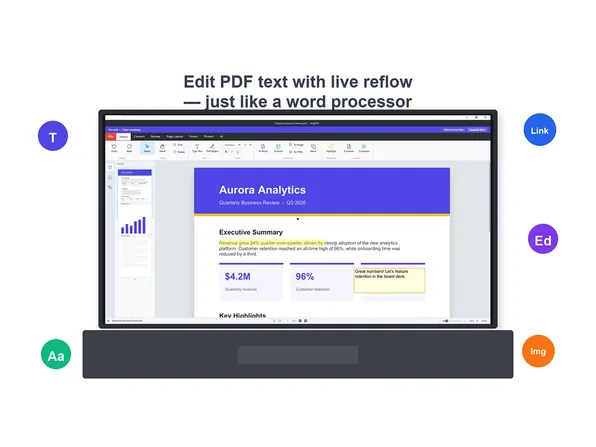
  • Edit PDF with OCR: Whether working with text-based PDF (tables, images, formatted content) or scanned documents (image-based files), our software empowers you to add, edit, and enhance content effortlessly.
  • Fill or build Forms Flexibly: Design interactive forms from scratch or fill existing PDF documents with texts, check boxes, shapes, and annotations—all with full customization.


More Features

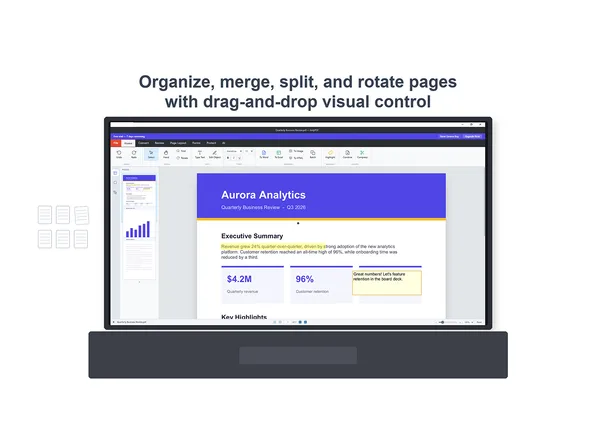
  • Merge PDF. Merge multiple PDF files into a single PDF document as you wish easily and quickly.
  • Split PDF. You can extract every page into PDF or split only the selected PDF pages you need freely.
  • Extract Images from PDF. This feature enables you to extract all the JPGs and PNGs from a PDF file in 1 click.
  • Compress PDF. If your PDF is too large and you want to reduce the size, you can compress it to a smaller size.
  • Unlock PDF. You can unlock your PDF document by entering the password to remove the password protection.
  • Protect PDF. Simply enter the password you want and click Convert to encrypt and protect your PDF immediately.
  • PDF Reader: You can set this software as the default program for opening, editing or reading PDF files.
  • Watermark & Shapes: Enhance your documents by adding customizable watermarks and shapes (rectangles, squares, lines, arrows, streamlines, etc.) for personal or professional use.
  • Comments: Annotate your documents with underscores, quick notes, stamps, texts and more.


What's New

  1. Improvement of overall interface
  2. Added OCR function for extracting texts in multiple languages from scans
  3. Added batch process for converting multiple PDF documents
  4. Added supports for more document formats
  5. Merged with the editing functions, including annotation, change text, add/remove image, etc.
  6. Fixed some bugs

Specs

System Requirements

  • Windows 8/10/11
  • macOS X 12.0 or later
  • Suggested to have 1GHz Intel processor or higher
  • 1GB RAM for smooth running
  • 150 MB or more hard drive space


Supported Formats

  • Input Formats: PDF, Microsoft Word (.doc, .docx), Microsoft Excel (.xls, .xlsx), Microsoft PowerPoint (.ppt, .pptx), Image (JPG, PNG, JPEG)
  • Output Formats: Word, PPT, Excel, HTML, TXT, JPG and PNG


Important Details

  • Length of access: lifetime
  • Redemption deadline: redeem your code within 30 days of purchase
  • Access options: desktop
  • Max number of devices: 2
  • Only available to NEW users
  • Version: v2.3.4
  • Updates included
  • Have questions on how digital purchases work? Learn more here
  • Learn more about our Lifetime deals here!

Terms

  • Unredeemed licenses can be returned for store credit within 30 days of purchase. Once your license is redeemed, all sales are final.
284 Reviews
4.7/ 5
All reviews are from verified purchasers collected after purchase.
TC

TBD Cobra

Verified Buyer

First let me compliment Ace for excellent customer service. I had a problem with the license key. They resolved it in less then 24 hours. I've only used it a couple of times but so far it does what is advertised. I had to convert a 3 page matrix to Excel. It worked perfectly. The interface is a little more rudimentary than I'm used to (hence 4 stars) but it definitely works. Well done...

Mar 3, 2026
VC

Van Cox

Verified Buyer

It is fast! When I highlight some text, a window with "copy" appears. This has been incredibly handy. There's not an irritating sporadic stream of pop ups suggesting I try an upgraded online only product. The OCR To translate to "Word document" has been fabulous! The product works so well on my home computer, I also put it on my garage computer. I have been a computer tech since the IBM 5150, in all this time this is the best PDF software I have ever used.

Mar 2, 2026
GS

Gregory Siu

Verified Buyer

I just wanted a basic pdf editor, nothing fancy just something to add and delete pages, merge files, make comments or add simple text. Once I got used to it, it is very easy to use and works very well for my basic purposes.

Mar 2, 2026
WL

William Ladd

Verified Buyer

Powerful and easy to use! After 5 minutes, I filled in and edited a PDF living will I needed to edit and publish...

Mar 1, 2026
JF

John Fort

Verified Buyer
Edited

Just starting to use it, so I can't comment in great detail. So far, I am very impressed with the features. Loaded a few files and played around with it and am happy with it. Lifetime License is a great bonus.

Feb 28, 2026
D

Dennis

Verified Buyer

I love this product. It does everything I need to do with PDFs and the cost for a lifetime license is about 10 percent of what I was paying every year for Adobe Acrobat.

Feb 28, 2026
Your Cart
Your cart is empty. Continue Shopping!
Processing order...